If you are considering alternatives to Lex, this guide explains what to look for in a modern legal operations platform, how to approach migration, and what we have learnt helping organisations transition to Lawcadia.
Modern legal operations platforms can reduce administration by automating intake, approvals, workflows, alerts and reporting. They also provide the structured data, security controls and cloud architecture needed to support AI responsibly.
For many organisations, the decision to replace legacy software is driven by the need for better user experience, stronger integrations, improved security and a platform that can adapt as legal operations requirements change.
When evaluating whether it is time to replace a legacy legal management system, organisations are commonly looking for improvements in the following areas:
Common signs include:
From there, we develop a structured implementation and migration plan designed to minimise disruption and support a smooth transition to Lawcadia.
Lawcadia's implementation and operations team has extensive experience working with government organisations and managing complex legal technology projects. The implementation process can include:
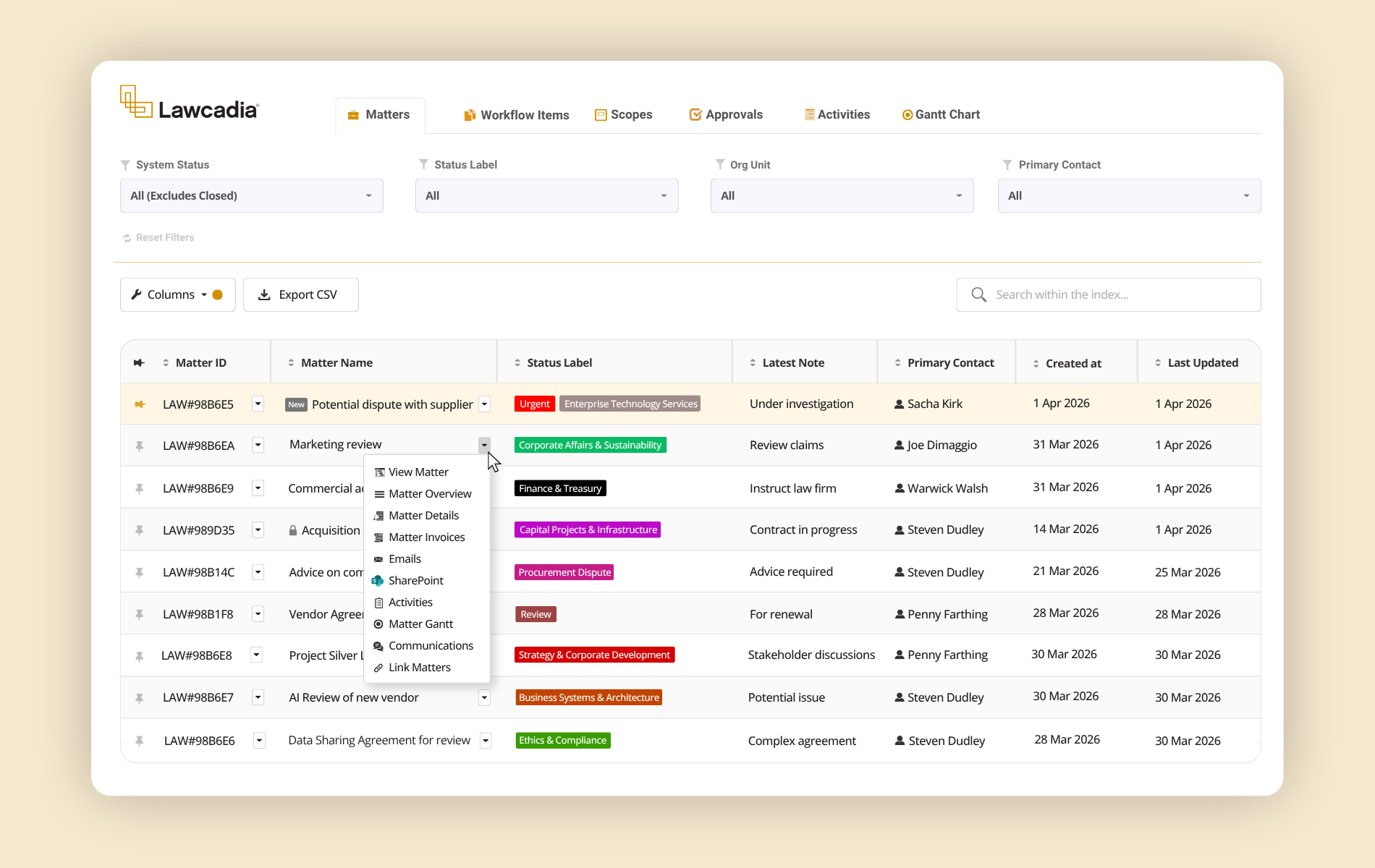
Our platform is designed to support the way modern in-house legal teams work, combining powerful workflow automation, enterprise security and AI ready capabilities within a single system of record.
Key capabilities include:
Frequently Asked Questions
Can Lawcadia integrate with our enterprise records management system?
Yes. Lawcadia integrates with OpenText Content Manager (formerly TRIM), Australia’s leading enterprise records management system used across government. The integration automatically transfers emails, documents and records from Lawcadia into Content Manager using the appropriate folder structure, allowing legal teams to work efficiently in Lawcadia while continuing to meet records management obligations. This approach, which we refer to as compliance by stealth, removes the need for manual filing and supports compliance with government record keeping requirements.
Does Lawcadia integrate with Microsoft 365?
Yes. Lawcadia integrates with Microsoft 365 to help legal teams work more efficiently using the tools they already rely on. Users can access matters directly from Microsoft Outlook, save emails and attachments to the relevant matter, save new versions of documents to the relevant matter using Microsoft Word, and authenticate securely through Microsoft Entra ID (Azure Active Directory). Lawcadia also has a deep integration with Microsoft SharePoint that also extends to Microsoft Purview for sensitivity labelling.
Lawcadia is designed to work alongside your existing Microsoft environment, reducing duplicate data entry, improving user adoption and providing a seamless experience across legal workflows. Additional integrations are available for 3rd party services and enterprise environments, enabling organisations to connect Lawcadia with their broader technology ecosystem.
Does Lawcadia support government organisations?
Yes. Lawcadia is purpose built to support the needs of Australian government legal teams. The platform provides configurable matter management, legal intake, workflow automation, legal spend management and reporting, together with comprehensive audit trails, role-based access controls and enterprise grade security. Lawcadia also supports government procurement processes, integrates with OpenText Content Manager and Microsoft SharePoint for records compliance, and is trusted by Australian Government agencies, state government departments, local councils and government owned corporations to manage legal work securely and efficiently.
What is the best alternative to Lex?
The best alternative depends on your organisation’s requirements. Most in-house legal teams evaluate platforms based on matter management, workflow automation, reporting, AI capabilities, security, integrations and implementation experience. Organisations moving from Lex often look for a cloud-based platform that reduces administration while providing greater visibility and automation.
How do you migrate from Lex?
The best migration plan will depend on your organisation’s requirements. This is a potential step-by-step process:
- Review existing data.
- Identify the data to migrate.
- Simplify and configure workflows where appropriate.
- User testing of workflows.
- Configure access controls and integrations
- Upload matter data.
- Train users.
- Go live with on-going support.