
Benefits Of In-House Document Management Software

Contents
Imagine spending thirty minutes digging through overflowing filing cabinets, only to realise the contract you need is sitting on a colleague’s desk. In today’s fast-paced corporate environment, relying on physical paperwork or a chaotic desktop folder system is a recipe for lost productivity.
To overcome these hurdles, forward-thinking businesses are adopting robust digital solutions. Implementing a dedicated in-house document management software, a system utilised internally by your team to organise, secure, and route files, is a fundamental operational necessity. While some companies still rely on local servers, the industry standard has rapidly shifted toward cloud document management software, offering unmatched flexibility and power.
If you are wondering how to manage electronic business records effectively without overwhelming your staff, you are in the right place. Let's explore the core benefits, essential features, and best practices of modern document management systems.
To overcome these hurdles, forward-thinking businesses are adopting robust digital solutions. Implementing a dedicated in-house document management software, a system utilised internally by your team to organise, secure, and route files, is a fundamental operational necessity. While some companies still rely on local servers, the industry standard has rapidly shifted toward cloud document management software, offering unmatched flexibility and power.
If you are wondering how to manage electronic business records effectively without overwhelming your staff, you are in the right place. Let's explore the core benefits, essential features, and best practices of modern document management systems.
The True Value of a Digital-First Workspace
The modern workplace is defined by speed, accuracy, and accessibility. The transition from paper to digital filing represents a monumental shift in how companies operate. By digitising files, you eliminate the physical footprint of paper storage, drastically reduce material costs, and prevent the disastrous loss of information due to fire, floods, or simple misplacement.
Having a reliable documents manager at the heart of your operations ensures that every invoice, contract, and employee record is exactly where it needs to be. But once you decide to digitise, you must choose where that data will live.
Cloud-Based vs On-Premise Storage Solutions
One of the first decisions an IT team faces is evaluating cloud-based vs on-premise storage solutions.
Having a reliable documents manager at the heart of your operations ensures that every invoice, contract, and employee record is exactly where it needs to be. But once you decide to digitise, you must choose where that data will live.
Cloud-Based vs On-Premise Storage Solutions
One of the first decisions an IT team faces is evaluating cloud-based vs on-premise storage solutions.

On-Premise: Historically, companies hosted their in-house software on local servers. It requires significant upfront capital, dedicated IT maintenance, and complex VPN setups for remote access.

Cloud-Based: Cloud solutions are hosted on remote servers managed by a third-party provider. As your business grows, you simply upgrade your subscription rather than buying new hardware.
More importantly, cloud software naturally acts as a centralised repository for remote teams. Whether your financial director is in New York and your sales team is in London, everyone has instant, secure access to a single source of truth.
Features that Supercharge Productivity
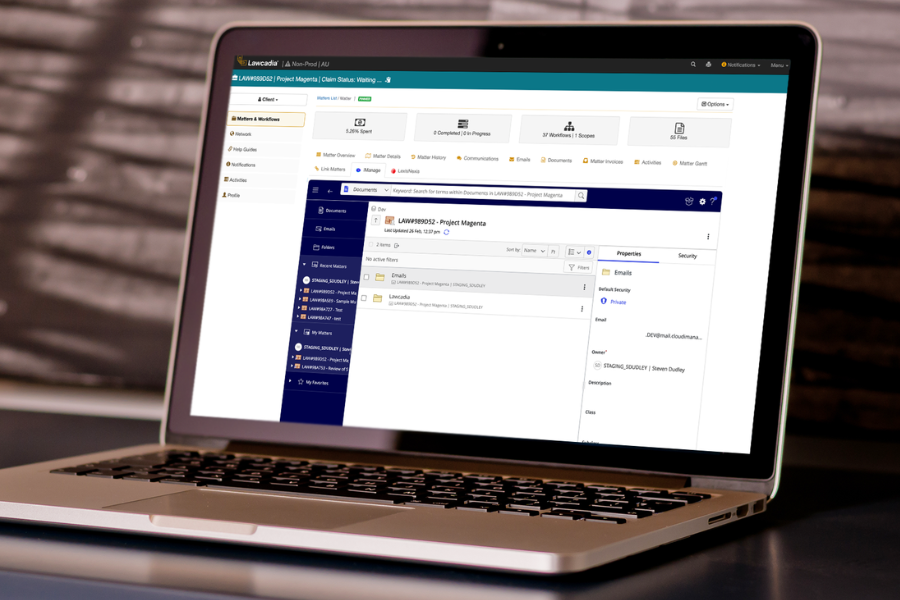
Not all software is created equal. The best systems go far beyond simple file storage; they actively improve how your team works together. Here are the features that make a massive difference.
Advanced Search and Retrieval
Have you ever saved a file and immediately forgotten what you named it? Modern document systems solve this through metadata tagging for information retrieval. By attaching specific tags, such as "Q3," "Vendor Contract," or "Marketing", you can instantly filter through thousands of files without relying on the exact file name.
Have you ever saved a file and immediately forgotten what you named it? Modern document systems solve this through metadata tagging for information retrieval. By attaching specific tags, such as "Q3," "Vendor Contract," or "Marketing", you can instantly filter through thousands of files without relying on the exact file name.
Seamless Team Collaboration
Emailing files back and forth is a guaranteed way to create confusion. Modern solutions integrate collaborative real-time document editing tools, allowing multiple team members to work on the same report simultaneously. You can see edits as they happen, leave comments, finalise documents faster and manage version control.
Emailing files back and forth is a guaranteed way to create confusion. Modern solutions integrate collaborative real-time document editing tools, allowing multiple team members to work on the same report simultaneously. You can see edits as they happen, leave comments, finalise documents faster and manage version control.

Workflow Automation
Manual tasks drain employee energy. High-quality software includes automated document approvals workflows. Imagine an employee submitting a digital expense report. Instead of physically handing it to a manager, the system automatically routes the document to the manager's inbox. Once approved, it is automatically forwarded to the accounting department. This eliminates bottlenecks and ensures nothing gets lost in the shuffle.
Manual tasks drain employee energy. High-quality software includes automated document approvals workflows. Imagine an employee submitting a digital expense report. Instead of physically handing it to a manager, the system automatically routes the document to the manager's inbox. Once approved, it is automatically forwarded to the accounting department. This eliminates bottlenecks and ensures nothing gets lost in the shuffle.
Securing Your Data and Ensuring Compliance
When moving sensitive data to a digital format, security is paramount. Your in-house system must be an impenetrable fortress against both external threats and internal errors.
Uncompromising Security Standards
When evaluating software, insist on enterprise-grade security standards. You must control who sees what. This is achieved through role-based access control security. With this feature, you can grant specific permissions based on an employee's job title. For example, the HR department can access payroll documents, while the marketing team is restricted from seeing them. You can also specify whether a user has the right to view, edit, or delete a file.
When evaluating software, insist on enterprise-grade security standards. You must control who sees what. This is achieved through role-based access control security. With this feature, you can grant specific permissions based on an employee's job title. For example, the HR department can access payroll documents, while the marketing team is restricted from seeing them. You can also specify whether a user has the right to view, edit, or delete a file.
Navigating Legal Requirements
Depending on your industry, you likely have strict rules governing how long you must keep records and how they must be protected. A premium document management system assists with regulatory compliance for digital records. Whether you are dealing with HIPAA in healthcare, GDPR for European data, or financial regulations like Sarbanes-Oxley, modern software helps automate retention schedules and provides detailed audit trails showing exactly who accessed a document and when.
Depending on your industry, you likely have strict rules governing how long you must keep records and how they must be protected. A premium document management system assists with regulatory compliance for digital records. Whether you are dealing with HIPAA in healthcare, GDPR for European data, or financial regulations like Sarbanes-Oxley, modern software helps automate retention schedules and provides detailed audit trails showing exactly who accessed a document and when.
Understanding the Flow: What is an Electronic Document Lifecycle?
To truly master your digital files, you need to understand the journey a file takes. If you ask a records manager, "What is an electronic document lifecycle?", they will typically break it down into four distinct phases:
Creation/Capture: The document is born. It is either typed natively in your word processor, generated by software, or scanned from a physical paper.
Active Use: The document is actively being reviewed, edited, shared, and collaborated on by your team.
Archiving: The document is finalised and no longer needed for daily operations, but it must be kept for reference or legal reasons. It is moved to secure, long-term storage where it cannot be easily altered.
Destruction: Keeping data forever is a legal liability and clutters your servers. Once a document passes its legally required retention period, the system securely and permanently deletes it.
Automating this lifecycle ensures your active workspace remains clutter-free while keeping you legally protected.
A Quick Step-by-Step Guide to Document Digitisation
If you are ready to make the leap from messy filing cabinets to a streamlined cloud environment, you need a plan. Here is a practical step-by-step guide to document digitisation for your business:
Step 1: Conduct a Thorough Audit: Don't digitise garbage. Review your physical files and securely shred anything that is outdated or no longer needed.
Step 2: Choose Your Hardware and Software: Invest in high-speed, duplex (two-sided) scanners. Simultaneously, select your cloud document management software, ensuring it has the OCR and security features discussed earlier.
Step 3: Establish Naming Conventions and Metadata: Before scanning a single page, decide how files will be named and tagged. Consistency is the secret to a searchable database. (e.g., YYYY-MM-DD_Department_DocumentType).
Step 4: Train Your Team: Even the most advanced software is useless if your employees refuse to use it. Host training sessions focusing on how to upload, search, and utilize workflow features.
Step 5: Destroy the Paper: Once you have verified that the digital copies are perfectly legible, securely shred the physical copies (unless physical originals are strictly required by specific local laws)..
The Bottom Line
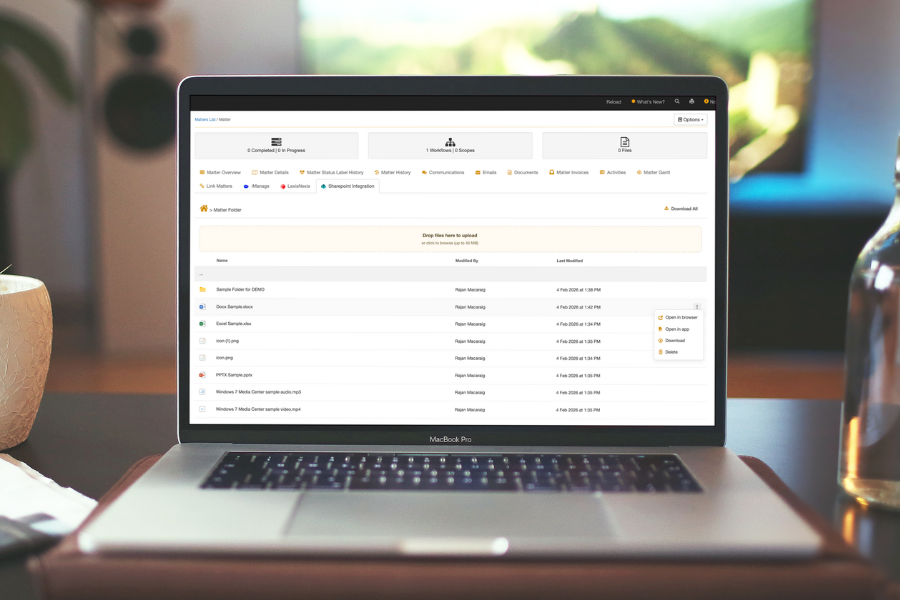
Relying on outdated file management is an invisible tax on your company's time, security, and bottom line. By embracing a fit-for-purpose digital infrastructure, you empower your employees to stop searching for information and start acting on it.
Whether you prioritise high-level encryption, seamless remote collaboration, or automated workflows, the right document management system will transform your daily operations. Take the time to audit your current processes, explore scalable cloud solutions, and watch as your business efficiency reaches new heights.
Whether you prioritise high-level encryption, seamless remote collaboration, or automated workflows, the right document management system will transform your daily operations. Take the time to audit your current processes, explore scalable cloud solutions, and watch as your business efficiency reaches new heights.