
Benefits of Matter Management Software for Legal Departments


Contents
Think about the last time you tried to locate a specific client email, a scanned contract, and an upcoming calendar date all at once. If your daily workload feels like a hundred browser tabs open simultaneously, you are experiencing a severe organisational bottleneck. Legal work naturally involves countless moving parts, and trying to hold all those details in your head quickly leads to chaos.
In this industry, a "matter" is simply a specialised word for a case or project. While generic project tools might help you check off basic daily to-dos, matter management software acts as a digital brain built specifically for legal complexities. In practice, relying on basic spreadsheets or manual tracking creates what experts call "ghost work", invisible hours of administrative labour that slip through the cracks and never get billed.
Stepping away from that daily firefighting requires legal matter management software that functions as your organisation's central nervous system. By implementing a dedicated system, you can finally transform how you work by mastering three essential pillars: centralising your scattered files, automating your workflow tracking, and managing your financial spend.
In this industry, a "matter" is simply a specialised word for a case or project. While generic project tools might help you check off basic daily to-dos, matter management software acts as a digital brain built specifically for legal complexities. In practice, relying on basic spreadsheets or manual tracking creates what experts call "ghost work", invisible hours of administrative labour that slip through the cracks and never get billed.
Stepping away from that daily firefighting requires legal matter management software that functions as your organisation's central nervous system. By implementing a dedicated system, you can finally transform how you work by mastering three essential pillars: centralising your scattered files, automating your workflow tracking, and managing your financial spend.
How Centralising Data Ends the Search Party
Standard folders might keep things slightly organised, but they still force you to play detective every time someone asks a simple question. Solving this chaos requires a shift from disconnected files to a Centralized Data Hub. Figuring out how to centralise corporate legal data is like building an instrument panel for your projects. A modern legal matter management system generates a digital "case birth certificate" the moment a project begins. This establishes a Single Source of Truth, ensuring everyone on your team views the exact same details.
Instead of hunting down colleagues to piece the puzzle together, you instantly see the whole picture. Your software automatically gathers three essential elements in one spot:
Instead of hunting down colleagues to piece the puzzle together, you instantly see the whole picture. Your software automatically gathers three essential elements in one spot:

Client communication history

Updated document versions

Upcoming deadlines
Having these elements living together officially eliminates the need to search through fragmented email chains.
Beyond finding documents faster, this setup tackles the tedious chore of typing the same information repeatedly. Automated intake forms are the secret to reducing manual data entry. Once your data is centralised, your team can abandon administrative scavenger hunts and dedicate their time entirely to executing high-value legal work.
Beyond finding documents faster, this setup tackles the tedious chore of typing the same information repeatedly. Automated intake forms are the secret to reducing manual data entry. Once your data is centralised, your team can abandon administrative scavenger hunts and dedicate their time entirely to executing high-value legal work.
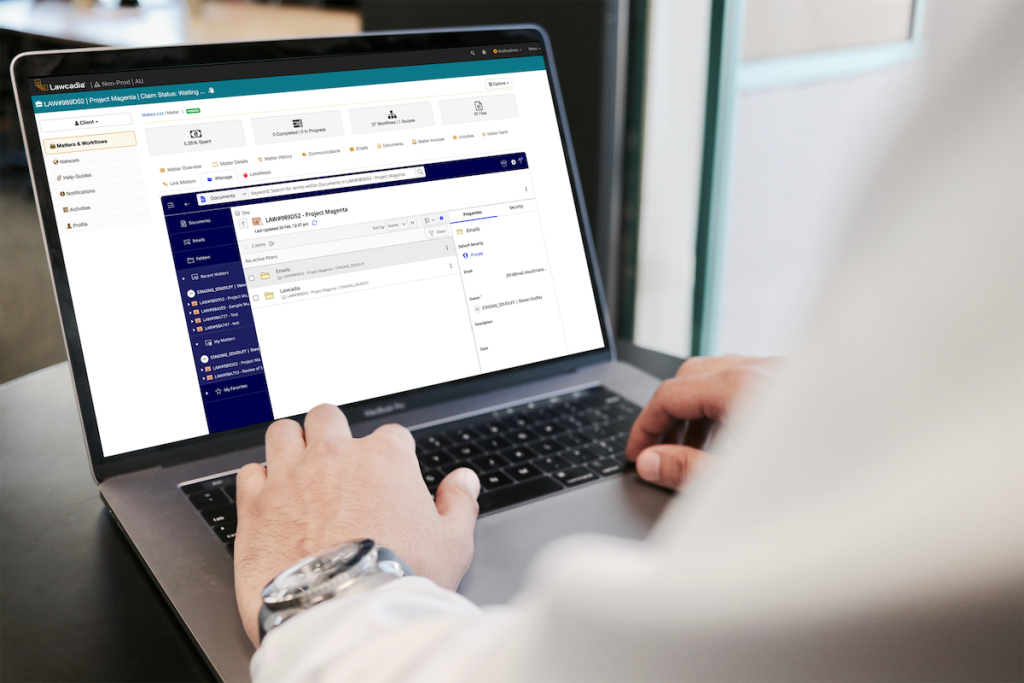
How Workflow Tools Pass the Baton Without Dropping It
Imagine running a relay race without knowing who holds the baton or when the next handoff happens. That specific confusion perfectly describes traditional legal projects, where team members constantly interrupt each other just to ask for status updates. By introducing legal operations workflow automation, the software steps in as the coach, automatically alerting the next person the moment a task finishes and eliminating the need to chase colleagues for answers.
Starting that race flawlessly remains the most critical part of the process. When you focus on streamlining matter intake processes, you guarantee that no critical information gets left behind on a sticky note or trapped in a voicemail. A standardised digital intake acts like a required entry checklist, immediately setting up automated reminders that prevent anyone from missing a hard deadline later on.
With those initial details safely captured, the system defines the legal matter lifecycle stages to clearly map out the journey ahead. Rather than guessing what step comes next, your entire team follows a highly predictable path through four phases:
Starting that race flawlessly remains the most critical part of the process. When you focus on streamlining matter intake processes, you guarantee that no critical information gets left behind on a sticky note or trapped in a voicemail. A standardised digital intake acts like a required entry checklist, immediately setting up automated reminders that prevent anyone from missing a hard deadline later on.
With those initial details safely captured, the system defines the legal matter lifecycle stages to clearly map out the journey ahead. Rather than guessing what step comes next, your entire team follows a highly predictable path through four phases:
Intake (gathering initial facts and documents)
Execution (performing the active legal work)
Review (checking for accuracy and compliance)
Closure (finalising the project and storing records)
Following this mapped journey allows the software to assign repetitive tasks automatically, which famously cuts internal "status update" meetings by up to 50%. Your team can finally stop discussing what needs doing and actually get to work. With daily tasks flowing smoothly and deadlines secured, attention can shift directly to optimising law firm spend budgets and protecting the bottom line.
How Spend Tracking and Automated Billing Protect Your Bottom Line
Imagine receiving a massive credit card bill and paying it without checking the individual line items. That specific scenario happens when teams manually process paper invoices, inevitably letting small errors slip through. By automating legal billing and invoicing, the software acts as a digital bouncer that catches duplicate charges and mathematical mistakes automatically before any money leaves your account.
Stopping those immediate leaks is only half the financial battle. Once you stop paying for routine mistakes, outside counsel spend tracking lets you see exactly where your money goes when hiring external lawyers. Instead of waiting for an end-of-year financial surprise, you transition from reactive scrambling to proactive financial management, knowing exactly how much budget remains for any given project.
Clear data makes choosing your next external counsel hire incredibly simple. Through real-time legal reporting and analytics, the system automatically highlights your top-performing vendors. This visibility transforms stressful guesswork into confident decisions, ultimately improving legal department efficiency without requiring anyone to build complicated spreadsheets.
While securing your budget brings peace of mind, money is not the only valuable asset your team must protect. Safeguarding your finalised contracts and vital case files from accidental deletion serves as an equally essential safety net.
Stopping those immediate leaks is only half the financial battle. Once you stop paying for routine mistakes, outside counsel spend tracking lets you see exactly where your money goes when hiring external lawyers. Instead of waiting for an end-of-year financial surprise, you transition from reactive scrambling to proactive financial management, knowing exactly how much budget remains for any given project.
Clear data makes choosing your next external counsel hire incredibly simple. Through real-time legal reporting and analytics, the system automatically highlights your top-performing vendors. This visibility transforms stressful guesswork into confident decisions, ultimately improving legal department efficiency without requiring anyone to build complicated spreadsheets.
While securing your budget brings peace of mind, money is not the only valuable asset your team must protect. Safeguarding your finalised contracts and vital case files from accidental deletion serves as an equally essential safety net.
Why Advanced Document Management Is Your Ultimate Safety Net
Have you ever emailed a contract to a colleague, only to end up with five different files named "Contract_Final_v3_ReallyFinal"? When multiple people edit standard digital files, the result is usually a chaotic mess of mixed-up paragraphs and lost edits. To stop this, specialised in-house legal document management systems replace scattered desktop folders with a single, highly organised digital vault.
Instead of guessing which draft is current, matter management solutions act like a time machine for your paperwork through a process called version control. This means the software secretly saves a snapshot of the document every time someone makes a change. You ensure everyone is working on the most recent version of a file, while simultaneously guaranteeing you never lose crucial work to an accidental deletion or clumsy keystroke.
Beyond saving progress, keeping those files locked down is critical. Modern systems use cloud security standards, the same heavy-duty encryption your bank relies on, to protect sensitive client data from unauthorised eyes. To truly safeguard your work, look for these key document management features:
Instead of guessing which draft is current, matter management solutions act like a time machine for your paperwork through a process called version control. This means the software secretly saves a snapshot of the document every time someone makes a change. You ensure everyone is working on the most recent version of a file, while simultaneously guaranteeing you never lose crucial work to an accidental deletion or clumsy keystroke.
Beyond saving progress, keeping those files locked down is critical. Modern systems use cloud security standards, the same heavy-duty encryption your bank relies on, to protect sensitive client data from unauthorised eyes. To truly safeguard your work, look for these key document management features:
Version history
Advanced search functionality
Secure external sharing
Knowing your documents are perfectly organised and securely tracked frees your team from constant administrative anxiety. The remaining challenge is selecting the right software suite customised to your organisation's specific needs.
How to Spot the Perfect Fit
Navigating the software market often feels like wandering through a massive hardware store without a list. To avoid confusion, remember that corporate teams need completely different tools than independent law firms. When comparing enterprise legal management vs practice management, picture the difference between a massive factory control room and a personalised toolbelt. Private attorneys require tools to track billable hours and invoice individual clients, while matter management software for legal departments helps internal teams coordinate company-wide projects and monitor outside spending.
Once you know which system fits your daily routine, you must decide where that software actually lives. The everyday benefits of cloud-based legal technology function exactly like your online bank account, offering incredibly secure access from anywhere. Instead of tying files to a single, fragile office computer, these flexible systems store your work safely online so you can easily review a contract from your phone during a morning commute.
Ultimately, selecting the right legal tech stack requires mapping out your specific team size and worst daily bottlenecks. Focus on solving those exact administrative headaches rather than paying for confusing features your team will never use.
Ultimately, selecting the right legal tech stack requires mapping out your specific team size and worst daily bottlenecks. Focus on solving those exact administrative headaches rather than paying for confusing features your team will never use.

Your 30-Day Plan for Modernising Legal Operations
Transitioning away from messy physical desks and disorganised folders does not require a massive, overnight disruption. With the right matter management software, chaotic processes evolve into streamlined, highly visible systems systematically. Best practices for legal project management prioritise using technology to support human talent, allowing your staff to focus on high-level legal strategy rather than data entry.
Begin your transition to a digital command centre by focusing on immediate, practical actions:
Begin your transition to a digital command centre by focusing on immediate, practical actions:
Audit your biggest bottleneck: Identify where your team loses the most time, whether it's document hunting or intake processes
Request targeted demos: Ask vendors to show specifically how their software solves your identified bottleneck.
Pilot one matter: Test the new system with a single, straightforward case before rolling it out company-wide.
Technology should clarify your work, not complicate it. By carefully selecting a system that addresses your distinct administrative burdens, daily firefighting becomes obsolete, leaving your legal team more profitable, secure, and structurally sound.