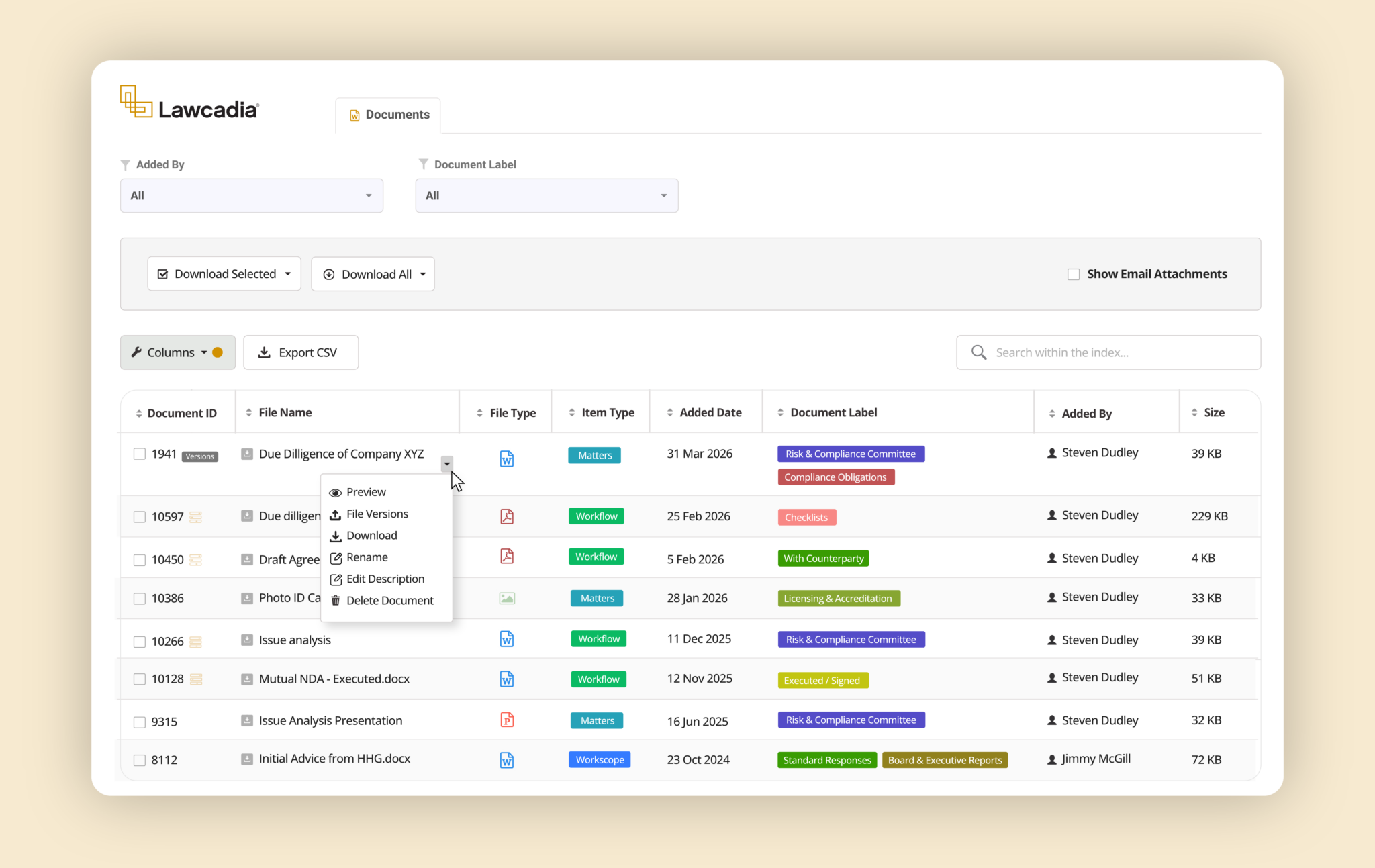
Lawcadia provides flexible document management that works with your existing systems and processes. Whether using Lawcadia's built-in capabilities or integrating with platforms such as SharePoint, iManage or Content Manager, your team can easily save, store, access and manage matter-related information from one central location.
With automated email filing and powerful Advance Search functionality, documents, emails, notes and other matter information are easily accessible and searchable.
Lawcadia also manages permissions across integrated systems, ensuring sensitive and confidential information is only accessible to authorised users. This enables secure collaboration across the broader legal team while maintaining a single source of truth for every matter.
Purpose-built for in-house legal teams, with Lawcadia’s document management, legal teams can:
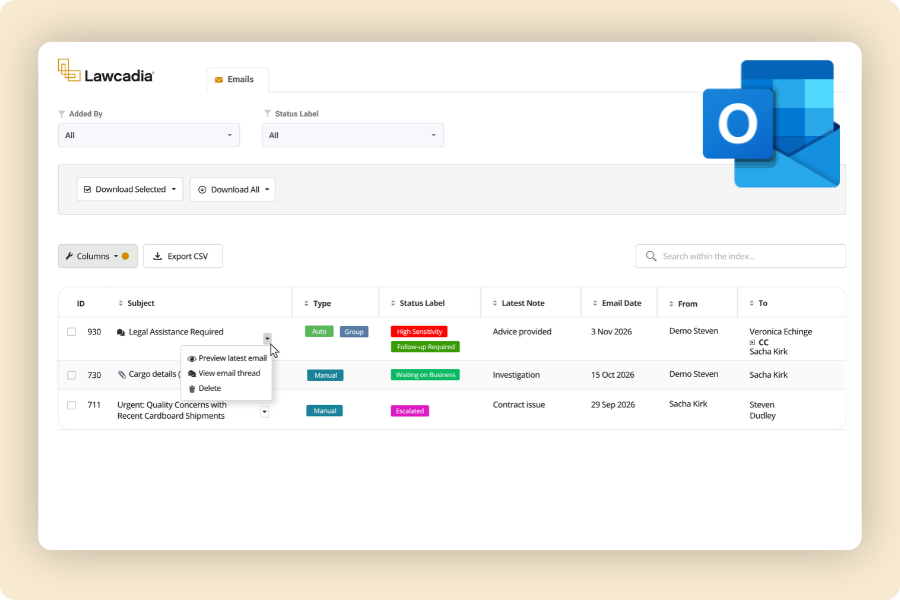
Once emails are saved to Lawcadia, everything stays connected and easy to find. View conversations in a familiar threaded format, quickly preview emails and attachments with a single click, and access the original email files whenever you need to reply or forward a message. It’s a simpler way to manage matter-related correspondence, reduce administrative effort and keep your legal team working efficiently.
The combination of Single Sign-On (SSO), user access types, and a layered permission structure ensures that matters and files are only accessed by those who need to know.
Current integrations with world-class platforms, including Microsoft SharePoint, Word and Outlook, iManage, and OpenText Content Manager, are available and ready for you to activate.
Custom integrations are available through Lawcadia Intelligence™ – Lawcadia's intelligent automation engine – which includes a unique plug-in architecture for the rapid deployment of new functionality.
Frequently Asked Questions
What is Legal Document Management?
Legal document management is the systematic storage, organisation and retrieval of documents and correspondence associated with legal matters. It replaces fragmented storage across shared drives, individual inboxes and local folders with a single, structured repository where every file is linked to its relevant matter.
Why is a centralised Document repository important for in-house teams?
When documents are held in multiple places, the legal team cannot be certain that everyone is working from the correct version. Centralised document management eliminates this problem by providing a single source of truth. It also reduces the risk of misfiled or lost documents and makes it faster to retrieve information when it is needed.
What is the difference between a Document Management system and a shared drive?
A shared drive stores files but provides little structure, context or control. A legal document management system links files to matters, maintains version histories, enforces access permissions, records audit trails, and supports email filing. The result is a managed environment rather than a filing cabinet.
Does Lawcadia support automatic email filing?
Yes. Lawcadia allows in-house legal teams to save correspondence directly to the relevant matter, reducing manual filing and ensuring that Outlook email threads are preserved in context alongside related documents, tasks and notes.
How does Document Management support compliance and governance?
Every action taken on a document is logged in an audit trail, recording who accessed, edited or approved a file and when. Role-based permissions ensure that sensitive documents are only accessible to authorised team members. This gives legal departments a defensible record of how documents were handled, which is particularly important in regulated industries or during disputes.
Can Lawcadia integrate with existing Document Management systems?
Yes. Lawcadia supports integration with established document management platforms, including iManage. This allows teams to maintain their existing document infrastructure where preferred while benefiting from Lawcadia’s matter management, workflow and reporting capabilities alongside it.